
Applies to: Lasernet Core 11 and 10 (not Lasernet Essentials / Professional / Advanced)
The JSON tab of the Sheet Options window enables you to configure the output of a JSON sheet.
Refer to the information for the Lasernet Core version you are using.
Lasernet Core 11
Encoding
The output of a JSON sheet is always UTF-8 encoded. The ActiveCodePage JobInfo is set to UTF8.
If a different encoding is required, use a Code Page Conversion modifier to convert the output of this sheet.
Settings
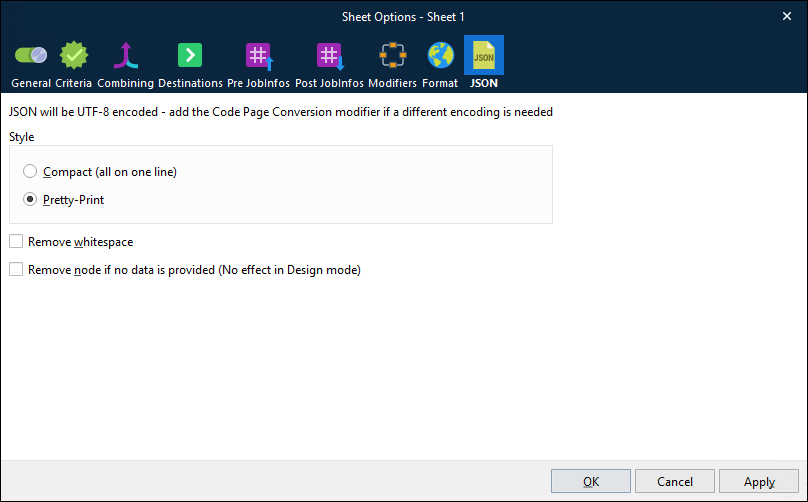
Setting | Description |
|---|---|
Style | Controls the format of the output JSON. Compact (all on one line): The entire JSON document is written as one line. Pretty-Print: The JSON contains line breaks and indentation to make it more human-readable. This setting does not affect how the JSON is presented in Lasernet Form Editor. |
Remove whitespace | Removes leading and trailing spaces from the values in the key/value pairs (in the JSON). Alternatively, use the Trim Spaces rearrange property to configure whitespace handling at the rearrange level. For more information, see Edit Rearrange Properties. |
Remove node if no data is provided (No effect in Design mode) | Prevents key/value pairs that have no value from being included in the output. This setting overrides the settings of individual nodes on the sheet. |
Lasernet Core 10
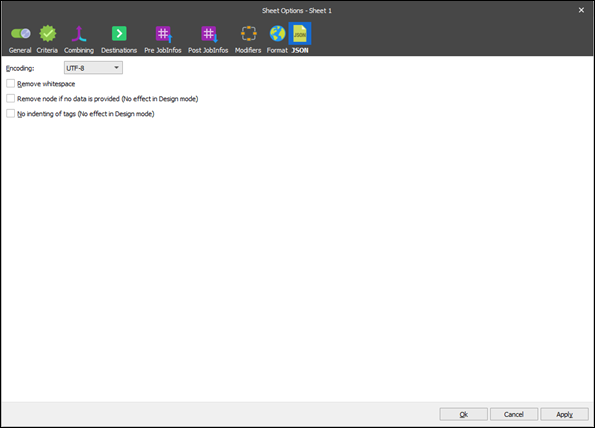
XML and JSON outputs have some sheet settings in common. See section Configure XML Data Output for more details.